Nimble storage integration with Nimesa
Registering Nimble Storage with Nimesa
After integrating the authentication module, we can successfully register the Nimble Storage with Nimesa console
- Open Nimesa console
- Login to Nimesa
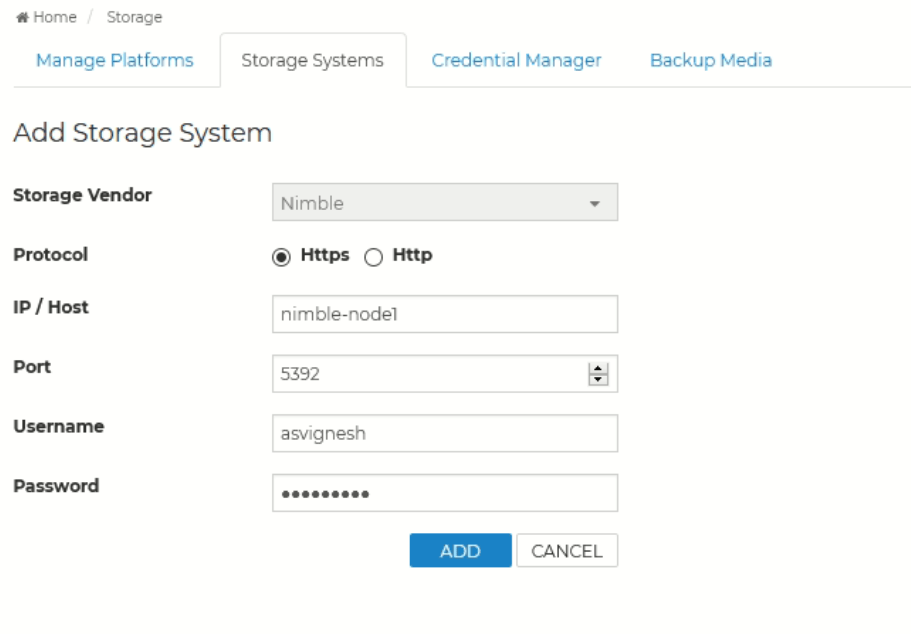
- Click on Add Storage from configuration setting menu in the top
- Choose the Storage vendor as Nimble
- Choose the protocol ( Https )
- Enter the IP, Port ( 5392), username and password of the Storage Host
- Click Add
Also published on Medium.